
Play
Choose a pack based on how often you use AI for reviews, summaries, and data chat. Larger packs reduce your cost per token.

Tokens are used only when you run AI actions — for example generating a summary, drafting a chart suggestion, or asking questions in data chat. This keeps pricing predictable and helps you apply AI where it saves the most time and improves decision clarity.
Connect your data once, then build the right view for each audience without duplicating work.
Fusedash supports MCP workflows so you can connect the model you prefer and keep your work in one dashboard workspace. Use MCP to power data chat, summaries, and faster dashboard building, while keeping results aligned with the same metrics, filters, and reporting views.
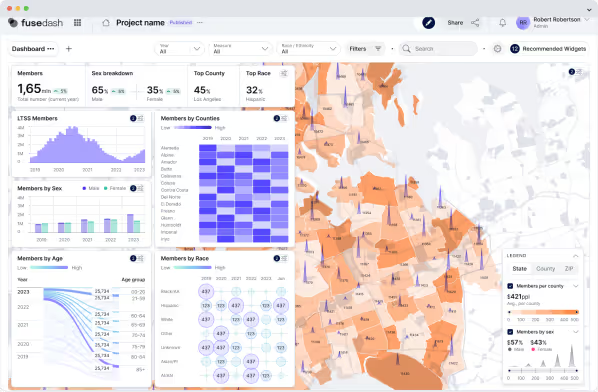
Tokens are used for AI actions such as data chat, generating summaries, and drafting AI-assisted visuals or report narratives. You can still build and review dashboards and reporting views, then use AI when you want faster analysis or clearer stakeholder updates.
1,250 tokens is best for trying AI features on a few views. 5,000 tokens fits weekly reporting and recurring summaries. 12,500 tokens is best for teams using AI across dashboards, storytelling reports, and frequent data chat.
Yes. You can refill from your workspace whenever you need more AI capacity, especially during weekly reviews, month-end reporting, or active monitoring periods.
When your balance reaches zero, AI actions pause until you refill. Your dashboards and reporting views remain available so you can keep reviewing and sharing the same data.
No. Tokens do not expire, so you can top up and use them when you need AI for reporting, summaries, or data chat.
Token packs cover AI usage such as chat and summaries. The platform is built for dashboards, charts, maps, and storytelling reports, and tokens let you add AI where it delivers the most value.
Yes. MCP workflows support model choice. You can use the model you prefer while keeping dashboards, metrics, and reporting views consistent in one place.
Yes. If you need custom limits, invoicing, security requirements, or a larger rollout, contact sales and we will set up a plan that fits your team.
Build dashboards and reporting views from your connected data, then use token packs for AI chat, summaries, and faster storytelling updates.