.png)
Ecommerce Dashboard KPIs
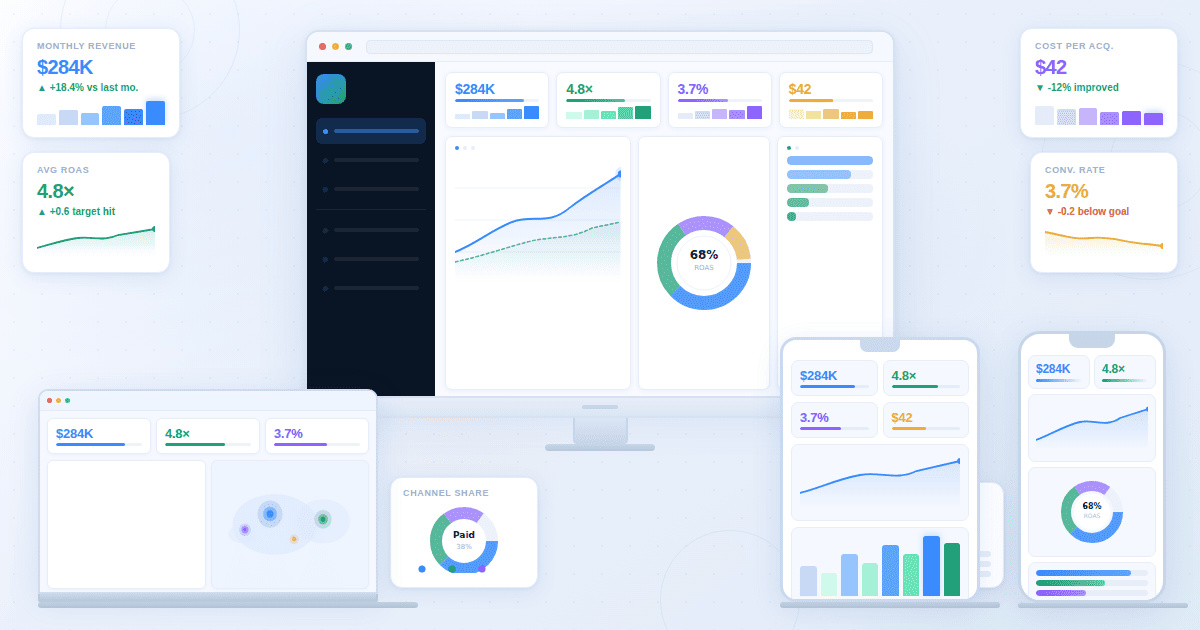
Businesses focused on selling or buying products online have a lot of data to work with. Ecommerce Dashboard KPIs are the metrics from those data points that aid these businesses in improving their operational efficiency, marketing, and as a result, revenue.
An eCommerce analytics dashboard follows a tailored eCommerce logic. It should start with a proper ecommerce KPI tree that creates the foundation of specific KPIs ranging from conversion and revenue, to inventory and fulfillment. This approach creates a consolidated structure to create a narrative that simplifies decision-making.
Explore ecommerce dashboards
Ecommerce KPI tree
What would you do if you found that the revenue was down by 15%?
You'll, of course, look for the cracks in the operational structure. To reveal these cracks, you need to look at all the points sequentially. You'll see whether it is a traffic problem, conversion problem, or an AOV problem.
To look at these problems, you need operational clarity. Things become clear only when there is a hierarchy.
The eCommerce KPI tree establishes this hierarchy of data points, giving businesses a diagnostic framework via a storytelling chart that answers key questions about the eCommerce business.
There are three levels in the KPI tree structure: Benchmarks vary by industry, price point, and traffic mix
Layer 1: Total Revenue
It is the meat of the eCommerce KPI, highlighting the outcome of the business. Total revenue, known as GMV for marketplaces, appears on the revenue dashboard, and is tracked daily, weekly, or monthly. To clearly lay out total revenue, you should segment it properly based on:
- Channel
- Product Category
- Geography
- Customer Cohort
Layer 2: Primary Drivers (Revenue Drivers)
Revenue drivers are also known as the "Big Three" of eCommerce dashboards. They contain:
- Traffic: To track it properly, you should split it based on channels, devices, and new vs. returning customers. It consists of leading indicators such as impressions, click-through rates (CTRs), and email open rates.
- Conversion Rate: Conversion rate can be tracked properly based on device, channel, product category, and customer type. This driver matters because increasing conversion leads to increased revenue without traffic costs.
- Average Order Value: It varies widely based on the industry. Tracking it properly involves splitting it based on customer cohort, acquisition channels, and promotion status.
Layer 3: Funnel Diagnostics
Funnel diagnostics are micro-conversions, indicating the steps a visitor has taken upon coming to your eCommerce website. Lying below the conversion rates, they help diagnose where the funnel breaks. Key KPIs include:
- Product Page View Rate: It answers: how many sessions lead to viewing the product page? The product page view rate informs you whether your landing page or home page is working properly.
- Add-to-Cart Rate: It answers: how many product views eventually lead to customers adding the product to the cart? The answer reveals whether the product is market-fit, or whether the product page is working properly.
- Checkout Initiation Rate: It answers: how many add-to-carts ended with checkouts initiating? The answer informs you about cart abandonment issues.
- Purchase Completion Rate: It answers: how many checkouts eventually lead to products being purchased? The answer reveals the friction in checkout flow such as payment issues, shipping costs, and form complexity.
The following table gives a succinct structure of the KPI tree:
Conversion KPIs
Conversion rate is essentially orders divided by sessions. However, it hides critical insights, which is why the conversion rate dashboard offers rates segmented by funnel stage, device, channel, and product.
When visualized through charts, the rate reveals surface-level patterns.
Despite offering only surface-level detail, conversion rate is the cheapest growth lever of the company. Even a 1% improvement in the conversion rate could boost revenue at a large scale, and without any traffic costs.
Funnel, device, channel, product
Funnel Conversion KPIs
Funnel conversion KPIs break down micro-conversions, which are essentially the steps taken by the visitor to venture deeper into the product you're trying to sell.
- Product View Rate: It shows how many visitors went from the home page to view the product page.
- Add-to-Cart Rate: It shows how many visitors, after viewing the product page, added the product to their carts.
- Cart-to-Checkout Rate: It shows how many customers, after adding the products to their carts, started the checkout process.
- Checkout Completion Rate: It shows how many checkouts were followed by order completion.
Device Conversion KPIs
These KPIs divide conversions based on the devices customers used to interact with the ecommerce website. The splits are based on desktop, mobile, and tablets.
Channel Conversion KPIs
These track the channel performance. The splits include:
- Organic Search: It tracks conversion that came from people searching for the product and ending up on your website.
- Direct Traffic: These are conversions based on customers entering your website in the search box directly to visit your platform.
- Email: Email conversion is when a customer gets converted based on the emails.
- Paid Search: It is the conversion rate based on paid search results, or inorganic marketing.
- Paid Social: Paid social conversion lies at the top-funnel, the funnel that makes customers aware of the product.
- Referral: Conversion rates based on referrals vary depending on the product quality and the sort of business they serve.
Product Conversion KPIs
These KPIs focus on the nuances of product conversion rates, assessing the product's market fit, customer buying behavior, and merchandising effectiveness. Key segments include:
- Product-Level Conversion: It tracks a standard funnel that starts with viewing the product and ends with the purchase.
- Category Performance: It compares conversion rates across product types.
- Price Band Analysis: This is the analysis of products based purely on prices.
Revenue and profitability KPIs
You won't get the complete picture of your profitability based on revenue alone. Similar to how SaaS dashboard tracks MRR alongside churn and LTV, an eCommerce dashboard must assess average order value, gross margin, and contribution margin.
AOV, margin, contribution margin
AOV
It measures the average amount customers spend per transaction and is calculated using the formula: Total Revenue ÷ Number of Orders. Key segments include:
- By customer type: AOV for orders bought by new or returning.
- By channel: AOV of orders bought through emails, direct traffic or paid social.
- By device: AOV of orders bought via desktop, mobile, or tablets.
Margin
It shows the percentage of revenue remaining after subtracting Cost of Goods Sold (COGS). Key segments include:
- Product-level margin: Margin based on products. For instance, T-shirts might have a 65% margin while jackets have 45%. It helps prioritize inventory investment.
- Category margin: It compares margins across product lines to guide merchandising decisions.
- Margin erosion factors: It tracks returns, heavy discounting, rising supplier costs, and absorbed shipping expenses.
Contribution Margin
Contribution margin reveals the profit that remains after COGS and money spent on marketing, shipping, packaging, and fees have been subtracted. Key segments include:
- By channel: The contribution margin is low for paid search, high for organic and direct search, and mid for email marketing .
- By customer cohort: First purchase is very CAC heavy and has low contribution. Since there are no acquisition costs at later stages, contribution margin for repeat customers is higher.
- By product: High-margin, lightweight products show the best contribution. Low-margin, heavy products show the worst contribution.
Marketing efficiency KPIs
As the name already reveals, marketing efficiency KPIs reveal how powerful the marketing efforts have been. Essentially, it answers the cost spent on marketing vs. revenue earned question.
ROAS, CAC, blended vs channel
ROAS
ROAS is the measure of revenue generated based on money spent on adverts. Its formula is Revenue from Ads ÷ Ad Spend.The ROAS dashboard reveals the information through key segments such as:
- By channel: Email/organic have the highest ROAS, while paid social has the lowest during scaling periods. Why? Paid social ads have lower intent.
- By product: With high-margin (expensive) products, lower ROAS is possible. Why? Marketing often doesn't match the cost of immensely expensive products.
- By customer type: Marketing to the same customers often achieves a higher ROAS as compared to getting new customers. Why? Marketing needs to go through more funnels for new customers.
CAC
CAC is the cost of acquiring new customers. For D2C brands, the CAC averages between $30 to $50. A healthy CAC should be less than 30% of the customer lifetime value. Key segments include:
- By channel: Organic and referrals have the lowest CAC. Paid social, however, has the highest cost of acquisition.
- Payback period: Top brands can recover CAC within the first purchase. Average brands, however, need 2-3 orders.
- CAC creep: If CAC goes high, it means more is spent on convincing the customer, which is an indicator of creative fatigue.
Blended vs Channel
Blended ROAS/CAC measures total marketing spend against total revenue. It is a broad metric that gives the complete picture of how powerful the marketing efforts are. A strong brand must maintain healthy blended numbers.
Inventory and fulfillment KPIs
The inventory dashboard reveals inventory and fulfillment metrics, essentially working as a logistics dashboard. The goal of these metrics is to reveal whether you can deliver on customer requirements properly.
Poor shop performance makes the dashboard reveal daunting numbers for metrics such as stockouts, overstock, and returns.
Stockouts, sell-through, returns
Stockouts
Stockouts are tracked in real time, and they measure the number of times a product is unavailable when the customer wants to buy it. This is the bane of customer retention, killing conversion rates directly. Key impacts of stockouts include:
- When bestsellers become unavailable, conversion rate could drop significantly.
- Unsatisfied customers are quick to switch to competitors.
- Stockouts also lead to margin loss as the rush to restock leads to logistics overhead.
Sell-Through
Sell-through measures the speed at which a product is sold whenever it comes into the inventory. A healthy sell-through rate indicates efficient inventory management and strong product-market fit. If the sell-through is unhealthy, it indicates overstock, dead inventory, or pricing issues.
Key segments include:
- By product: Bestsellers have a high sell-through and dead stock have low.
- By season: Fashion/seasonal items typically hit a high sell-through rate during in-season and low during off seasons
- Inventory turnover: For ecommerce businesses, a stable turnover range is 4-6, according to OnRamp. Benchmarks vary by industry, price point, and traffic mix.
Returns
Returns impact profitability. They vary based on industry and every return adds overheads such as processing, restocking, and shipping.
Key elements to consider with returns:
- If returns are high, it means product description, sizing guides, or quality is poor.
- High return rates can erode profits. Cahoot.ai reports that returns cost 20-65% of the product's original value.
- With free return policies, however, conversion rates can go up.
Weekly ecommerce review template
With a structured weekly review, teams can align on performance and priorities before presenting findings on an executive dashboard for business leaders. Run this 30-minute session every Monday to diagnose issues quickly and solve them before they compound
Agenda
- Spend 5 minutes on the revenue check to see whether it is up or down, and by how much.
- Focus 10 minutes on KPI tree breakdown to find out which lever (traffic, conversion, or AOV) moved and assess the biggest change.
- Review channels for 5 minutes to see which device features the best experience and which does not. Also assess ROAS, conversion, and device-based conversion.
- Spend 5 minutes exploring inventory flags to see if there are any stockouts on bestsellers or if the inventory is full of dead stock.
- Take the last 5 minutes to explore the single high-impact action to fix this week.
Key questions
- Where did we lose/gain the most revenue?
- Is this a trend or a blip?
- What gets fixed this week?
The table below is a strong template for most eCommerce platforms: